
I have recently been looking at tools to audit and, more importantly, validate Azure environments that we onboard as part of a support process. We already use a fantastic tool called ARGOS (https://argos-security.io/), which gives us a raft of information about an Azure tenant, resources, security posture, attack paths etc (I may do a blog post on ARGOS if I can get their permission!) but PSRule is a fantastic little tool that I have bookmarked, as I like how it validates the resources against the Azure WAF (Well-Architected Framework). I am also one of those people who likes to have more information rather than less, and yes, the other tools I use may duplicate the information, but it's nice to know the outputs are also accurate!
PSRule can validate the resources either pre-flight during the deployment or in-flight after they have been deployed. In my case, I want to know about the resources in-flight as this will form part of the onboarding process to understand how well an Azure tenant has been configured.
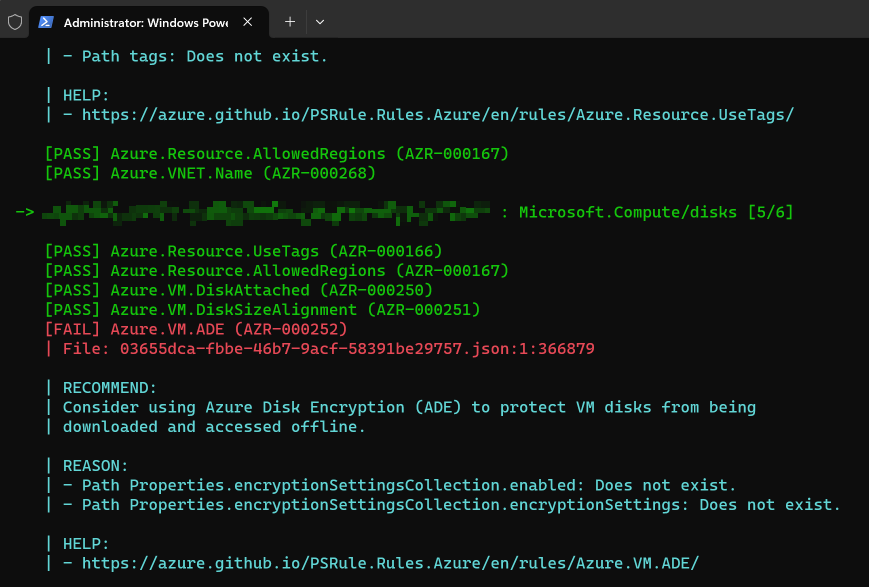
What does the output look like? Well, it looks something like this:
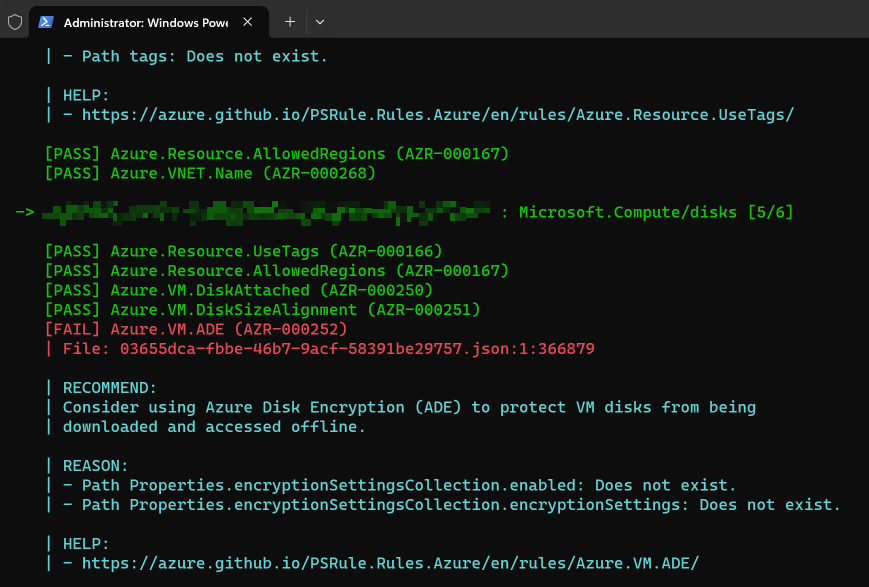
Above is just one example of PSRule telling me that a VM disk isn't using Azure Disk Encryption.
The great thing about this tool is that Microsoft provides it on their Azure GitHub repo and it is updated very regularly, almost weekly!
Rules to validate Azure resources and infrastructure as code (IaC) using PSRule. - Azure/PSRule.Rules.Azure
Azure / GitHub
How do I install and use PSRule for resources in flight?
It is straightforward to get going with PSRule, and the install guide can be found on the GitHub page:
Rules to validate Azure resources and infrastructure as code (IaC) using PSRule. - Azure/PSRule.Rules.Azure
Azure / GitHub
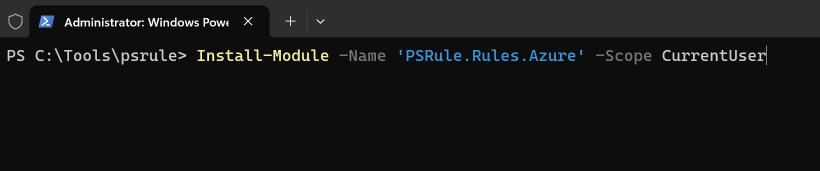
But I will walk you through the setup procedure for any in-flight resources. Firstly, you need to install PSRule.Rules.Azure from the PowerShell Gallery:
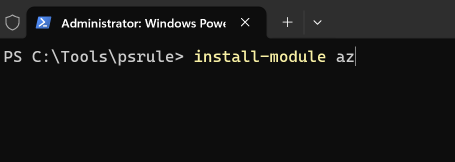
You will also need to install the AZ PowerShell module if you haven't already got it installed:
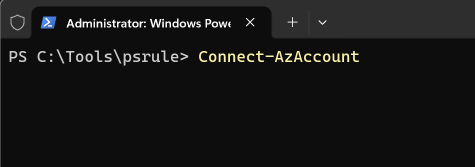
Next you need to connect to your Azure tenant, and go through the authentication steps:
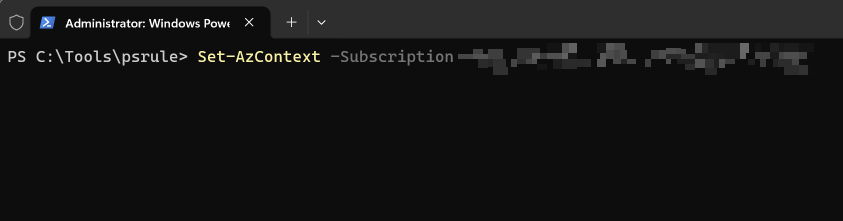
Once authenticated you need to set your Azure PowerShell session to the correct subscription by using set-azcontext:
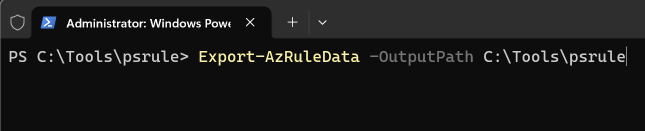
Next, we need to export all of the Azure resource information out of the subscription so that we can validate the resources:
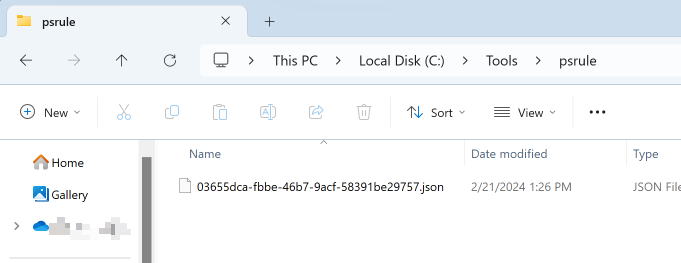
This should create a .json file in the output path that you have entered:
Now that we have the resource details we can now validate the resources. There are a few baselines that you can narrow the validation to, but for this I am just going to use the default of all. In PowerShell, you run the following command:

After which your PowerShell window will go crazy, and you will see a lot of text fly up the screen, but it should look something like this:
If perhaps you want a summary, then you can use the Invoke-PSRule command to generate a summary

Which looks like this:
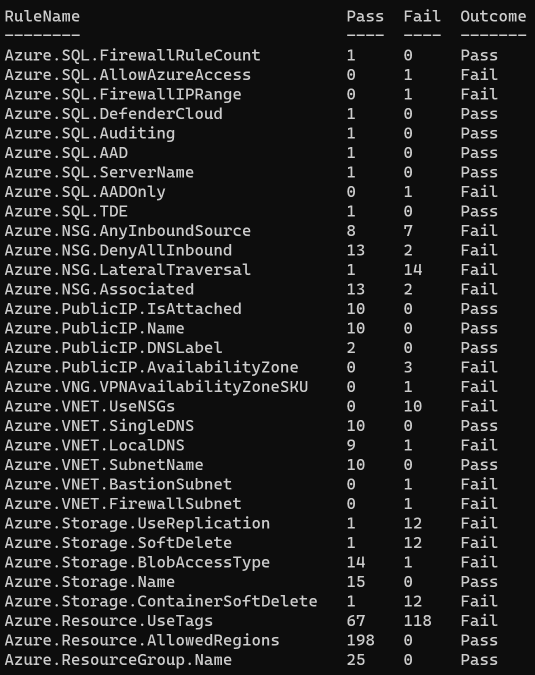
However, this only shows the Rules and the number of pass/fails at a high-level and there doesn't seem to be a native way of exporting the data to something like Excel so that you can nicely review the data. However, when doing some Googling (if that is even still a thing), I came across the fab blog run by Luke Murray:
Well-Architected Framework Azure infrastructure review with PSRule for Azure | luke.geek.nz
Imagine if you could validate that your Azure Resources are deployed per the Well-Architected Framework (WAF).. just imagine!
Luke Murray / luke.geek.nz
And it is as simple as outputting the content using Export-CSV:

Now you can view and manipulate the data as you see fit:

There is a lot more to PSRule in terms of what you can do with it, so I would go and read the GitHub page and the PSRule GitHub IO page:
Rules to validate Azure resources and infrastructure as code (IaC) using PSRule. - Azure/PSRule.Rules.Azure
Azure / GitHub
Ready to go rules for testing Azure Infrastructure as Code (IaC).
Microsoft / PSRule for Azure
Also, another big shout out to ARGOS, which I absolutely love to work with and they have one of the best (if not the best) multi-cloud security SaaS tools that I have worked with (blog post coming soon hopefully!!). Honestly, go and check these guys out as they are super to work with, and take on all feedback. I am sure David at ARGOS will be more than happy to discuss the tool he has built if you want to get in touch with him (DISCLAIMER: I don't work for ARGOS but I just love the toolset, and I want to give recognition where it is deserved):
Advanced Visual Cloud Security & AI Incident Investigation
Revolutionize your MSP or MSSP cloud security offering with ARGOS: Real-time visual mapping, AI incident analysis, and multi-cloud support.
ARGOS Cloud Security • Revolutionizing Cloud Security with Visual Intelligence